Half Screen
Left Half, Right Half, Top Half, Bottom Half — split your screen perfectly for side-by-side or stacked workflows.
Window Management Reimagined
AeroLayout is a fast, lightweight macOS window management tool. Snap windows to halves, corners, and more with keyboard shortcuts or drag-to-edge actions — keeping your workspace organized and productive.

Core Features
Arrange windows exactly how you want with a single keystroke or drag.
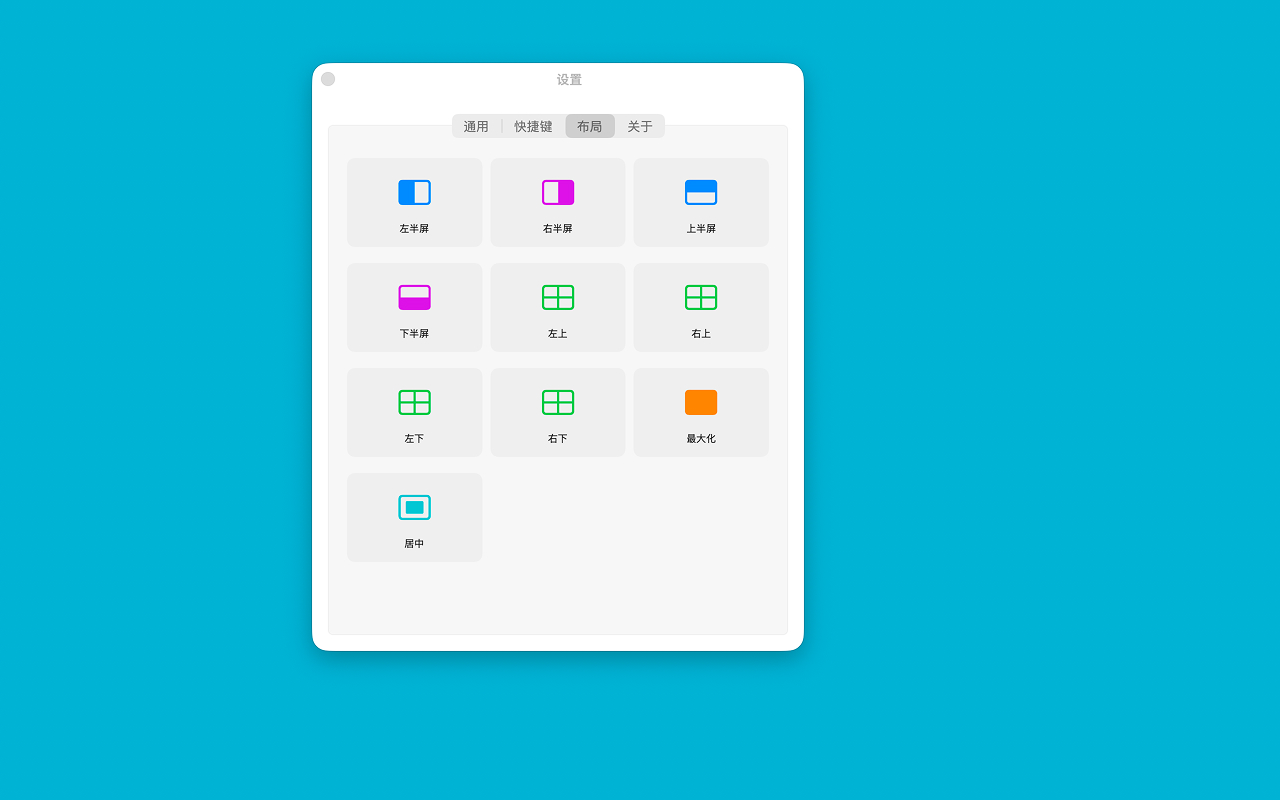
Left Half, Right Half, Top Half, Bottom Half — split your screen perfectly for side-by-side or stacked workflows.
Top Left, Top Right, Bottom Left, Bottom Right — fit four apps neatly on one screen.
Instantly expand a window to fill the screen, or center it at two-thirds size for focused work.
One shortcut returns a snapped window to its original size and position before the layout was applied.
Drag any window toward screen edges or corners to trigger automatic snapping with a live preview overlay.
AeroLayout respects your privacy. All window control happens locally on your Mac with no external network requests.
Read privacy policy →Launch at login, enable drag & snap, toggle preview overlay, language settings and more.
View all keyboard shortcuts. Control windows instantly with customizable global hotkeys.
Browse all 11 layouts with visual icons — halves, corners, maximize, center, and restore.
Version info and app description. A fast, lightweight window management tool for macOS.
FAQ
AeroLayout uses native macOS Accessibility APIs and an optional AppleScript assistant to move and resize the frontmost window safely and reliably.
AeroLayout is carefully optimized with minimal resource usage. Snap monitoring and hotkey handling are lightweight, with no impact on system performance or battery life.
Yes, Accessibility permission is required for AeroLayout to detect the frontmost app and trigger window actions. A setup assistant guides you through the process.
AeroLayout supports macOS 12.4 and above, ensuring smooth operation on both Intel and Apple Silicon Macs.
About AeroLayout
AeroLayout was born from a passion for organized workspaces. We believe a thoughtfully arranged set of windows not only boosts productivity but also brings clarity to your daily workflow.
Minimal and unobtrusive — a lightweight tool that stays out of your way until you need it.
All window control happens on your device, protecting your privacy.
We're constantly refining layouts and shortcuts. Stay tuned.
Download AeroLayout and start arranging windows with speed and precision today.